
What is cloud computing?
Cloud computing is the on-demand delivery of IT resources over a network. In traditional data centers, compute, and storage resources used to be allocated manually by a dedicated IT team. In the cloud, this process is fully automated, leading to increased agility and significant cost savings.
Cloud computing is a de facto standard for modern data center implementation and a foundation for cloud-native application deployments. It is used by the majority of organizations worldwide, as it replaces the high upfront costs and management burdens of physical hardware with a scalable, pay-as-you-go model that accelerates innovation.
How does cloud computing work?
In essence, cloud computing is a modern way of delivering IT services for organizations and individuals. It hides the entire complexity of a data center from an end user behind a self-service portal.
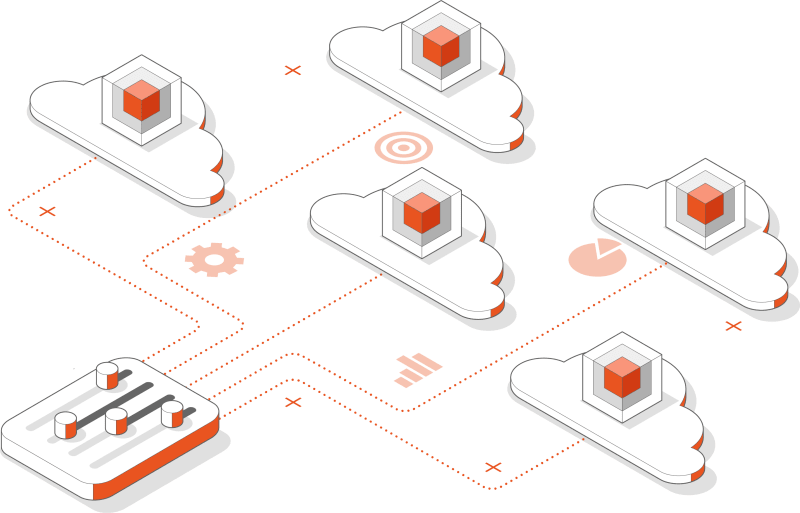
The name "cloud computing" comes from a common practice of representing complex IT systems on diagrams as a cloud. Modern data centers are typically extremely complex, consisting of hundreds of racks, power devices, network devices, servers, storage arrays, cables, and many other components. The end user does not want to understand all these intricacies – they just want resources that can be consumed quickly and on demand. Cloud computing abstracts all these complexities, turning the data center into a resource rental store.
Cloud computing uses numerous technologies, including virtualization, containerization, and automation. At the heart of the cloud computing stack, there is cloud management software. This software manages compute, network, and storage resources distributed across the entire data center, aggregates them into pools, and enables on-demand provisioning of resource chunks through a self-service portal. End users can request those resources to be provisioned in the form of virtual machines (VMs) or containers.
Cloud computing vs virtualization
People who are new to cloud computing often get confused with the cloud computing vs virtualization dilemma. Virtualization is a technology that divides the physical resources of a server, such as the central processing unit (CPU), random access memory (RAM), storage and network, into chunks. Those can further be aggregated into VMs, consisting of virtual resources and allocated to end users. Hardware virtualization, VM creation, and termination is handled by a dedicated software, firmware, or hardware component called a hypervisor.
In turn, cloud computing expands the capabilities provided by the hypervisor. The cloud software manages all the hypervisors and automates the VM provisioning process. Whenever a cloud user requests a VM with specific parameters through the self-service portal, the cloud software tries to find the least utilized hypervisor (unless configured otherwise), schedules VM creation on this hypervisor, and returns VM details back to the user. Furthermore, it automates the creation of other types of virtual resources, such as block storage devices, virtual networks, and more.
Increased agility
In cloud computing, all resources are available on-demand. Users can get instant access to them whenever desired and terminate them when no longer needed.
Significant time savings
In legacy IT infrastructure, the resource provisioning process takes days or even weeks due to numerous manual actions. In cloud computing environments, the resource provisioning process takes minutes, if not seconds.
Faster time to market
Building a data center might take a lot of time. In turn, public clouds provide businesses with immediate access to theoretically infinite resources. This removes many constraints from developers and accelerates the time to market.
Optimal resource consumption
In traditional data centers, physical resources are owned by dedicated entities leading to sub-optimal resource consumption. In the cloud, all resources are shared and equally distributed, leaving no single server underutilized.
Long-term cost savings
Cloud computing can deliver long-term cost savings for every organization. The cloud enables executives to focus on the business strategy, developers to focus on business applications, and IT staff to leverage automation rather than wasting time on manual processes.
Cloud computing challenges
While cloud computing brings a number of benefits, migrating to the cloud also entails a number of challenges. Those include:
Migration cost
While there are many migration-as-a-service tools available on the market which facilitate lift and shift migration, moving production workloads to the cloud might still be challenging. Fortunately, various cloud migration strategies exist which enable organizations to move to the cloud while ensuring the availability of their critical applications.
Re-designing workloads
Even though it is possible to just lift and shift legacy workloads to the cloud, organizations often have to re-design their workloads in the long term to receive all the benefits of the cloud. Some take it as an opportunity to standardize on a cloud-native architecture, which leads to higher granularity, better scalability, and increased resiliency.
Digital sovereignty
Moving all workloads and data to the cloud results in digital sovereignty risks. Moreover, in some parts of the world, it might be impossible due to local regulations. In response to this challenge, organizations can build their own private cloud, taking back control over privacy while benefiting from all the advantages that cloud computing brings.
Is cloud computing suitable for you?
Cloud computing proves to be the most economical way to run modern business applications. Therefore, it has been adopted by the majority of organizations all over the world. However, achieving cost optimization in cloud environments is a non-trivial task. It involves adopting cloud cost optimization best practices, running a cost benefits analysis, and making data-driven decisions regarding the placement of workloads. Only when following those strict guidelines, can organizations achieve true total cost of ownership (TCO) reduction compared to legacy IT infrastructure.
Types of clouds
Cloud types vary depending on who owns or operates them. It is also possible to use more than one cloud at a time in a hybrid or multi-cloud architecture.
Public cloud
Public clouds are owned and managed by a cloud service provider. All resources are shared between multiple tenants. Even though the public cloud market is dominated by three major players, hundreds of smaller public cloud providers exist all over the world and run their public cloud infrastructure on Ubuntu.
Private cloud
A private cloud is owned by an organization or an individual. All resources are exclusively dedicated to a single entity or a service. It runs on the organization's premises or in an external data center. It is managed by the organization's operations team or a managed service provider.
Managed cloud
Managed clouds are private clouds that are fully managed by a third-party organization (sometimes called a managed service provider). The customer provides the hardware, but cloud operations and maintenance tasks are outsourced. The cloud can either run on the organization's premises or in the managed service provider's data center.
Micro cloud
Micro clouds are a new class of infrastructure for on-demand computing at the edge. Micro clouds reuse proven cloud primitives but come with unattended, autonomous, and clustering features that resolve typical edge computing challenges, making them a powerful tool for modern, distributed computing needs.
Hybrid cloud
Hybrid cloud is a cloud computing architecture that consists of at least one public cloud, at least one private cloud, and a hybrid cloud manager (HCM). It is one of the most popular trends in the IT industry, adopted by 82% of IT leaders, according to the Cisco 2022 Global Hybrid Cloud Trends Report.
Multi-cloud
Multi-cloud (also referred to as multi cloud or multicloud) is a concept that refers to using multiple clouds from more than one cloud service provider at the same time. The term is also used to refer to the simultaneous running of bare metal, virtualized, and containerized workloads.
Cloud computing models
Cloud computing services are usually available to end users in the form of three primary models: infrastructure-as-a-service (IaaS), platform-as-a-service (PaaS), and software-as-a-service (SaaS).
IaaS
In the IaaS model, you provision resources. Those include the number of virtual CPUs (vCPUs), the amount of RAM, storage, etc. They come in the form of VMs or containers with a pre-installed operating system (OS). You manage everything up from there.
IaaS is the most common cloud computing model as it allows for more freedom.
PaaS
In the PaaS model, you provision workloads. While you are still responsible for delivering application code and data management, the PaaS platform takes care of scheduling resources (usually containers) and manages them, including the OS, middleware, and runtime.
The PaaS model has never been widely adopted due to its overall complexity.
SaaS
In the SaaS model, you provision applications. They are deployed from pre-defined templates and can be configured according to your needs. Everything is managed by the cloud provider.
Interest in the SaaS model is constantly increasing as it allows for full automation from the ground up.
| Legacy data center | IaaS | Paas | Saas | |
|---|---|---|---|---|
| Applications | You manage | You manage | You manage | Cloud provider |
| Data | You manage | You manage | You manage | Cloud provider |
| Runtime | You manage | You manage | Cloud provider | Cloud provider |
| Middleware | You manage | You manage | Cloud provider | Cloud provider |
| O/S | You manage | You manage | Cloud provider | Cloud provider |
| Virtualization | You manage | Cloud provider | Cloud provider | Cloud provider |
| Servers | You manage | Cloud provider | Cloud provider | Cloud provider |
| Storage | You manage | Cloud provider | Cloud provider | Cloud provider |
| Networking | You manage | Cloud provider | Cloud provider | Cloud provider |
How to get started with cloud computing?
The easiest way to get started with cloud computing is in a public cloud. All leading public cloud providers, including Amazon, Azure and Google, provide a free tier for newcomers, enabling them to use cloud resources up to a specific limit free of charge. Canonical partners with all of them, ensuring a frictionless experience when running Ubuntu workloads in public clouds. It also provides Ubuntu Pro images with an extra security advantage for running production workloads on Ubuntu with confidence.
However, public cloud costs tend to grow fast as the demand for workloads increases. As a result, organizations should consider adopting hybrid multi-cloud architecture when running cloud workloads in the long term and on a large scale. This involves building a cost-effective private cloud platform as an extension to hyperscaler infrastructure. Read Canonical's cloud pricing report to learn more.
When it comes to private cloud implementation, Canonical provides a number of solutions to build a cloud platform tailored to your needs. More demanding customers can also leverage Canonical's commercial services, including private cloud design & delivery, full commercial support, and fully managed services.
Get in touch with Canonical for private cloud design and delivery ›
All you need for cloud computing

Canonical OpenStack is an enterprise cloud platform engineered for price-performance that serves as a cost-effective extension to hyperscale infrastructure.


Ubuntu Pro is a comprehensive subscription for open source security, support and compliance.
Ubuntu Pro offers a unified security standard for your entire cloud journey &ndash from public hyperscalers like AWS, Azure, and Google Cloud, to private OpenStack or hybrid deployments – with out-of-the-box FIPS, DISA-STIG, and FedRAMP hardening, and up to 15 years of security maintenance, ensuring your cloud security is consistent, governed, and maximized for uptime.