Running Ubuntu Containers with Hyper-V Isolation on Windows

Dustin Kirkland

on 13 September 2017
This article is more than 8 years old.


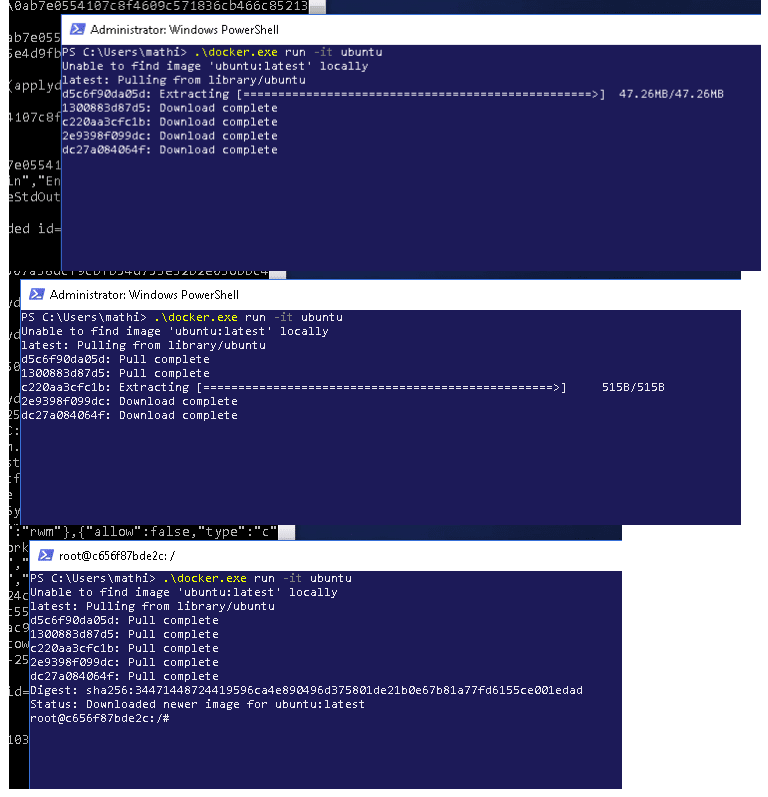
Canonical and Microsoft have teamed up to deliver an truly special experience — running Ubuntu containers with Hyper-V Isolation on Windows 10 and Windows Servers!

We have published a fantastic tutorial at https://ubu.one/UhyperV, with screenshots and easy-to-follow instructions.  You should be up and running in minutes!

Follow that tutorial, and you’ll be able to launch Ubuntu containers with Hyper-V isolation by running the following directly from a Windows Powershell:

  • docker run -it ubuntu bash

Cheers!
Dustin

Talk to us today

Interested in running Ubuntu in your organisation?

Newsletter signup

Get the latest Ubuntu news and updates in your inbox.

By submitting this form, I confirm that I have read and agree to Canonical's Privacy Policy.

Related posts

How to avoid package End of Life through backporting 

When a Git vulnerability hit systems past Ubuntu package end of life, teams had to reassess security options. Learn how to stay protected beyond standard support.

Showcasing open design in action: Loughborough University design students explore open source projects

Last year, we collaborated with two design student teams from Loughborough University in the UK. These students were challenged to work on open source project...

Canonical Ubuntu and Ubuntu Pro now available on AWS European Sovereign Cloud

Canonical announced it is a launch partner for the AWS European Sovereign Cloud, with Ubuntu and Ubuntu Pro now available. This new independent cloud for...